Source and stock report
PT27 Free PDF Download & Field Guide
PT27 (ภ.ท.27 / ภท27) reports the source and quantity of controlled cannabis flower held by the licence holder. Prepare it from receiving documents and supplier records for the reporting month.
Original from DTAM ↗ · Sources checked 12 October 2026
Who uses it and when
The licence holder prepares this report from source and receiving records. Check the operator name, licence number and quantities against supporting documents before monthly reporting. Confirm deadlines and the accepted submission channel with DTAM or your provincial public health office.
Read DTAM guidance ↗What each field means
Select a number to read its explanation, or open the full-size image
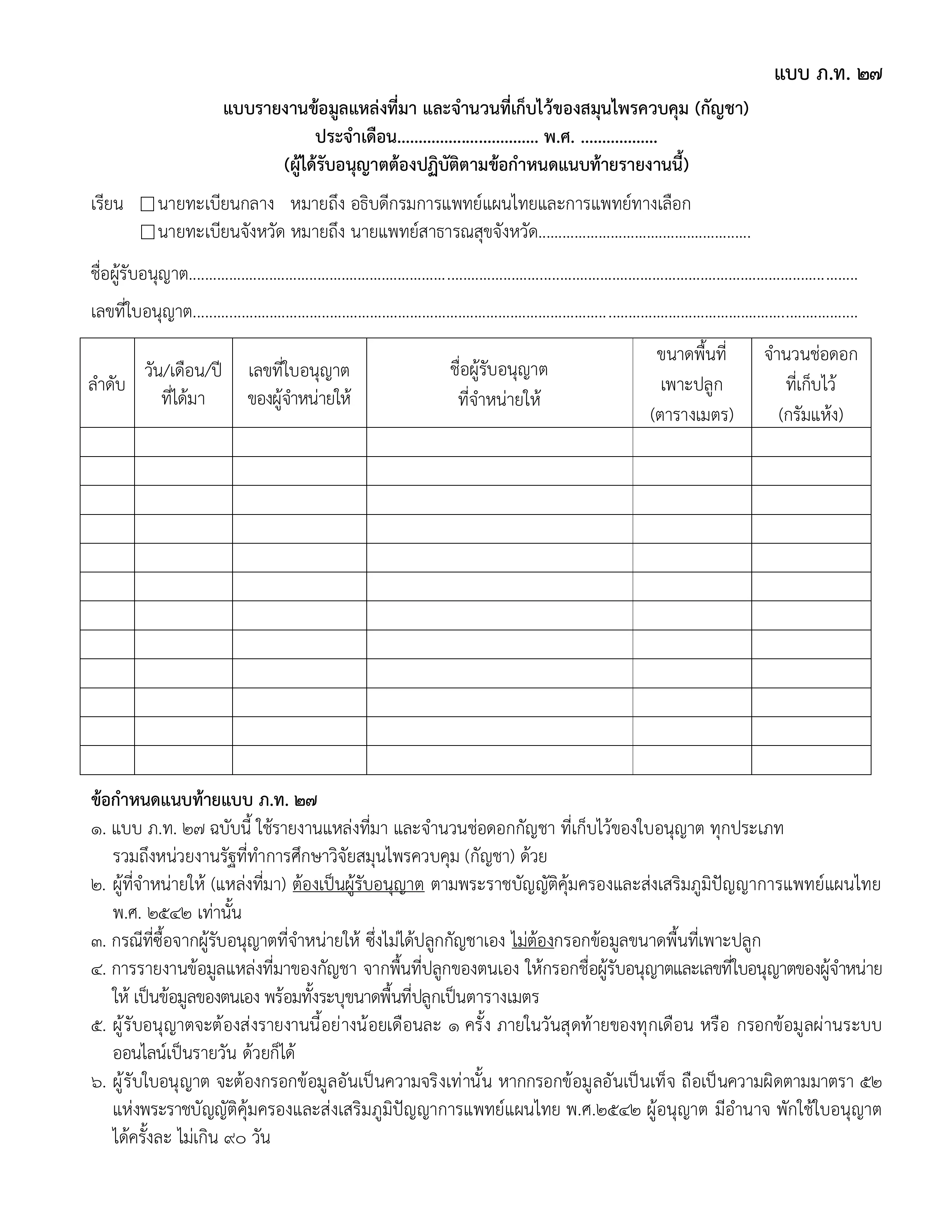
Reporting month and year
Use the month covered by the records and the Buddhist Era year on every page, for example August B.E. 2569 (2026).
Receiving authority
Choose the central or provincial registrar for your submission. Enter the province when using the provincial option.
Licence holder
Enter the reporting business's licence-holder name and licence number here, rather than the supplier's details.
Date received
Use the date flower was received, supported by the receiving record, rather than the date you fill in the form.
Supplier licence and name
Check these against the supplier's licence and receiving documents. For your own cultivation, follow the instructions printed below the form.
Cultivation area
Use square metres when relevant. The form instructions exempt purchases from suppliers who do not grow the flower themselves.
Flower quantity held
Record the verified quantity in dried grams. Do not substitute sales value or package count.
Fictional data example
Example receiving record: 05/08/2026, Sample supplier (fictional), licence DEMO-SUPPLIER, 100 dried grams, for the August B.E. 2569 (2026) report.
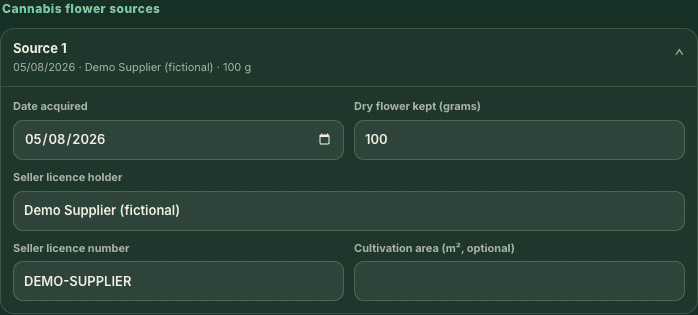
For understanding fields only. This is not a submission document or a prescription.
Create PT27 online for free
Enter records in the existing tool, review the document, then print or save a PDF. Report data stays in your browser and clears on reload. The tool does not submit reports to DTAM.
